Top 5 Split Ergonomic Keyboards in the UK for 2026
Published on Monday, 26 January 2026
Split ergonomic keyboards separate into two independent halves that can be positioned shoulder-width apart and independently angled or tented to better align with each user's natural arm and wrist orientation. They typically offer adjustable separation, tenting and programmable layouts to reduce ulnar deviation and forearm pronation during extended typing. In the UK market for 2026, demand is driven by hybrid and remote working patterns, greater awareness of repetitive strain injuries, and wider adoption of customizable mechanical layouts. British buyers look for reliable UK-based warranty and support, multi-platform compatibility (Windows, macOS, Linux), wireless options, and a balance of ergonomics, programmability and value. From budget-conscious office options to highly configurable models for power users and gamers, split keyboards now come in a range of form factors and feature sets that suit different typing styles and body types.
Top Picks Summary
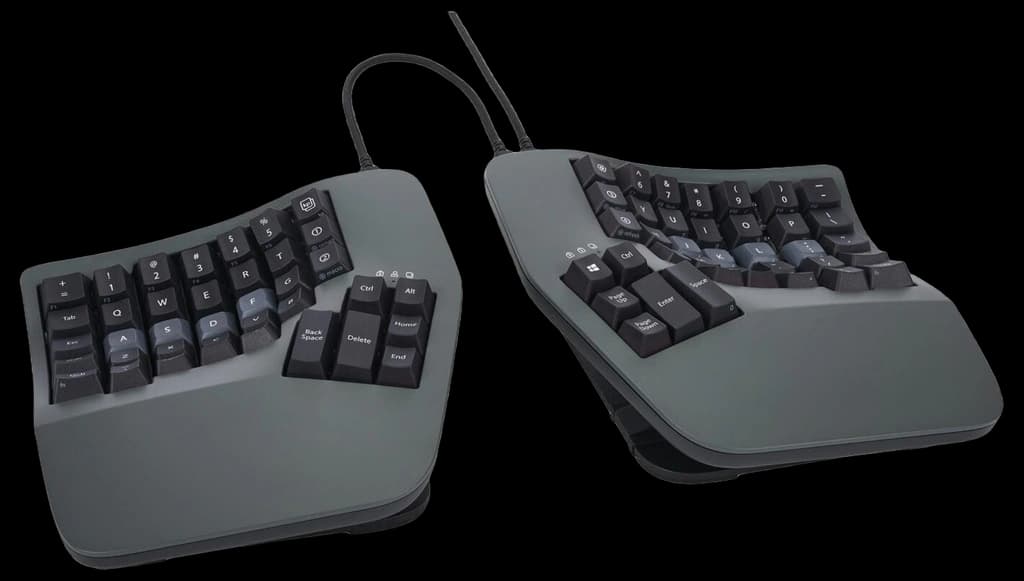
Kinesis Advantage360
The Kinesis Advantage360 earns its place as a market leader by combining Kinesis’s decades of ergonomic design with a modern split-and-tented form factor that prioritizes long-term comfort for heavy typists. Compared with creative, highly programmable alternatives on this list it leans more on clinically-informed sculpting and proven key placement, and while it sits at a premium price point it justifies that with enterprise-grade durability and Kinesis’s established support network.
£300-£420 GBP
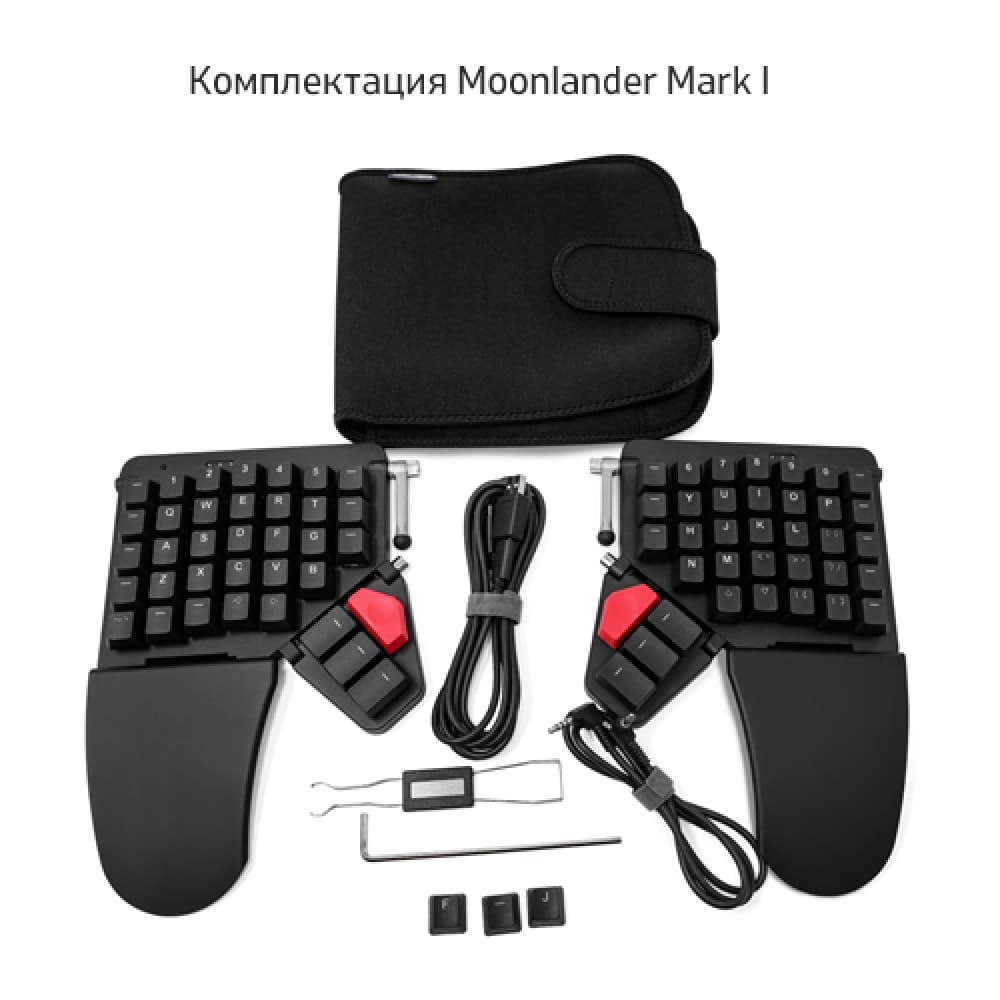
ZSA Moonlander Mark I
The ZSA Moonlander Mark I stands out as the best-in-class option for customization and programmability, offering extreme per-key remapping, layered macros and a flexible thumb-cluster layout that power users and keyboard hobbyists favor. Unlike the more conservative Kinesis models it trades some out-of-the-box ergonomics for unmatched configurability, making it a worthwhile investment for users who prioritize software-driven personalization over a lower upfront price.
£280-£360 GBP
Dygma Raise
The Dygma Raise secures a leading position by balancing a gamer- and creator-friendly feature set—hot-swappable switches, RGB, and an ultra-modular two-piece design—with comfortable ergonomics and a tactile focus. It sits between the ultra-custom Moonlander and the mainstream Kinesis models financially and technically, giving users the cost-effective ability to change switches and layouts without buying a new board, which is a distinct practical advantage.

£300-£380 GBP
Ultimate Hacking Keyboard
The Ultimate Hacking Keyboard (UHK) is notable for its compact, professional-oriented split design and high-quality engineering that emphasizes a small desk footprint and upgradeability through modules. Compared with bulkier or more flamboyant models it delivers strong value to power users who want a durable, modular split keyboard with sensible ergonomics and competitive pricing relative to feature-heavy rivals.

£240-£320 GBP
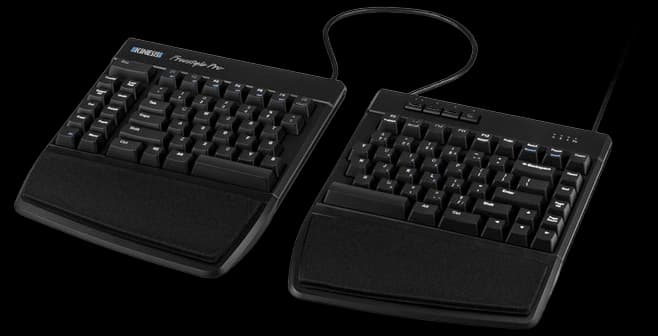
Kinesis Freestyle Pro
The Kinesis Freestyle Pro remains a market staple for office-focused split ergonomics by offering an affordable, widely available two-piece layout with reliable key switches and straightforward remapping tools. It is less configurable than the Moonlander or Dygma but undercuts many premium splits on price and learning curve, making it a practical first move for users seeking ergonomic separation without the higher technical or financial commitment of the top-tier custom boards.
£130-£200 GBP
What the research says about split keyboards
Scientific and ergonomic research shows that separating and angling keyboard halves helps users maintain a more neutral wrist and forearm position. Reducing ulnar deviation and forearm pronation lowers strain on muscles and tendons, which can reduce discomfort during long typing sessions. Studies using posture assessment and muscle activity measurement (EMG) indicate improvements in wrist alignment and a decrease in risk factors associated with upper-limb musculoskeletal disorders. Results are most consistent when users adjust separation, tenting and tilt to their body dimensions and allow a short adaptation period.
Reduced ulnar deviation and forearm pronation help keep wrists in a more neutral position.
Lowered muscle activity in some forearm and shoulder muscles has been observed in controlled studies.
Programmable layouts can reduce awkward finger reaches and repetitive motions by placing frequent keys within easy reach.
An adaptation period of days to a few weeks is common before users reach full speed and comfort.
Ergonomic benefits depend on proper setup: correct tenting, separation and keyboard height are essential.
Frequently Asked Questions
Which split keyboard is best for heavy daily typing tasks?
The Kinesis Advantage360 is the ideal choice for heavy typists due to its contoured wells and thumb clusters designed to reduce finger travel during long sessions.
Does the Dygma Raise allow for changing mechanical switches easily?
The Dygma Raise features hot-swappable mechanical switches, which allow you to change your switch type easily without the need for soldering.
How does the ZSA Moonlander Mark I compare for customisation?
The ZSA Moonlander Mark I offers deep programmability through the web-based Oryx configurator, allowing for extensive per-key remapping and layered macros for power users.
What is the average user rating for the Kinesis Advantage360?
The Kinesis Advantage360 holds an average rating of 4.6 out of 5 stars from users who value its durable build and ergonomic design.
Conclusion
Split ergonomic keyboards offer a practical way to reduce wrist and shoulder strain while improving long-term comfort and productivity in the UK. The five standout options covered on this page are the Kinesis Advantage360, ZSA Moonlander Mark I, Dygma Raise, Ultimate Hacking Keyboard, and Kinesis Freestyle Pro. For most office and mixed-use buyers seeking a balanced combination of ergonomics, programmability and build quality, the Kinesis Advantage360 is the best overall choice. If you need more customization, consider the ZSA Moonlander Mark I or Dygma Raise; if modularity and open design matter, the Ultimate Hacking Keyboard is a strong pick; and if you want a more affordable, straightforward split, look at the Kinesis Freestyle Pro. We hope you found what you were looking for — you can refine or expand your search using the site search to compare features, switch types and price ranges.