

Best Professional Graphic Design Desktops in the UK 2026 | Ultimate Workstation Guide
For Photoshop, Illustrator and InDesign, the single most useful fact is that these applications are largely single-threaded and RAM-bound, not GPU-bound. A fast single-core clock and 32GB of memory will do more for day-to-day layout, illustration and photo retouching than a top-tier graphics card, which only starts to pay for itself in video editing, motion graphics and 3D work in After Effects, DaVinci Resolve, Cinema 4D or Blender. The second fact that matters, and the one most buying guides skip, is that colour accuracy lives in the monitor, not in the tower. An HP Z2, Lenovo ThinkStation, Dell or ASUS chassis ships with no display at all, so its colour performance is entirely whatever screen you plug into it — budget separately for a hardware-calibratable panel and a colorimeter. All-in-ones invert that trade-off: the iMac and Surface Studio bundle a good factory-calibrated screen but fix your compute ceiling permanently. UK buyers should also check the practical details that get lost on imported listings: a 230V PSU and a fitted BS 1363 plug, a UK-valid warranty, and on-shore next-business-day support if the machine is billable. This guide covers seven systems across those trade-offs, from compact all-in-ones to expandable towers.
Inception's AI took the time to understand this market in the UK · · How we pickWe may earn a commission on purchases. It never affects our rankings.
Top Picks Summary
Apple Mac Studio M2 Ultra
The Mac Studio M2 Ultra is the highest-compute option on this list for designers whose work extends into video, motion graphics and 3D, where its GPU and unified-memory bandwidth genuinely pay off. For pure 2D Adobe work it is more machine than most studios need, since Photoshop, Illustrator and InDesign lean on single-core speed and RAM rather than GPU throughput. Two caveats matter before ordering: this is the 2023 M2 Ultra generation, replaced in March 2025 by the M4 Max and M3 Ultra models, so check which chip a retailer is actually shipping and price accordingly; and memory and storage are fixed at purchase, so configure for the machine's whole service life. No display is included.

We may earn a commission on purchases. It never affects our rankings.
Estimated£3,999 – £8,499
Dell XPS Desktop
The Dell tower is the value-led mainstream choice for UK designers who want upgrade headroom without paying certified-workstation prices. Configurable Intel or AMD CPUs with NVIDIA GeForce RTX graphics cover both 2D layout work and occasional video or 3D, and tool-free servicing means RAM, storage and the graphics card can be replaced as budgets allow — the main structural advantage over the iMac and Surface Studio. It forgoes the ISV certifications and ECC memory found on the HP Z2 and Lenovo ThinkStation. One naming caveat: Dell has retired the XPS desktop line, so confirm exactly which current model a retailer is shipping against this listing. No display is included; budget separately for a calibratable monitor.
We may earn a commission on purchases. It never affects our rankings.
Estimated£999 – £2,699
HP Z2 Tower G9 Workstation
The HP Z2 Tower G9 is the low-risk choice for studios that bill by the day, where a machine falling over mid-project costs more than the hardware premium. ISV certification, ECC memory on Xeon configurations and validated component combinations buy predictable sustained performance rather than headline speed, and three M.2 NVMe slots plus PCIe expansion keep large project libraries local. For pure Adobe 2D work its professional RTX A-series graphics options are largely surplus — a higher-clocked CPU and 32GB or more of RAM will serve better than the GPU tier. As a tower it ships without a display, so colour accuracy depends entirely on the monitor you pair with it.

We may earn a commission on purchases. It never affects our rankings.
Estimated£1,299 – £4,599
Lenovo ThinkStation P360 Tower
Lenovo's ThinkStation P360 Tower offers the same workstation guarantees as the HP Z2 — ISV certification, professional graphics options, enterprise support and tool-free servicing — in a noticeably smaller chassis, which matters in shared studio space. Its trade-off against the Z2 is internal expansion room rather than reliability or performance. As with every tower here, no display is included and colour accuracy is determined by the monitor you pair with it, so budget for a hardware-calibratable panel. One generational caveat: the P360 dates from 2022 and Lenovo has since succeeded it with the ThinkStation P3, so check the exact model number on any listing before ordering.
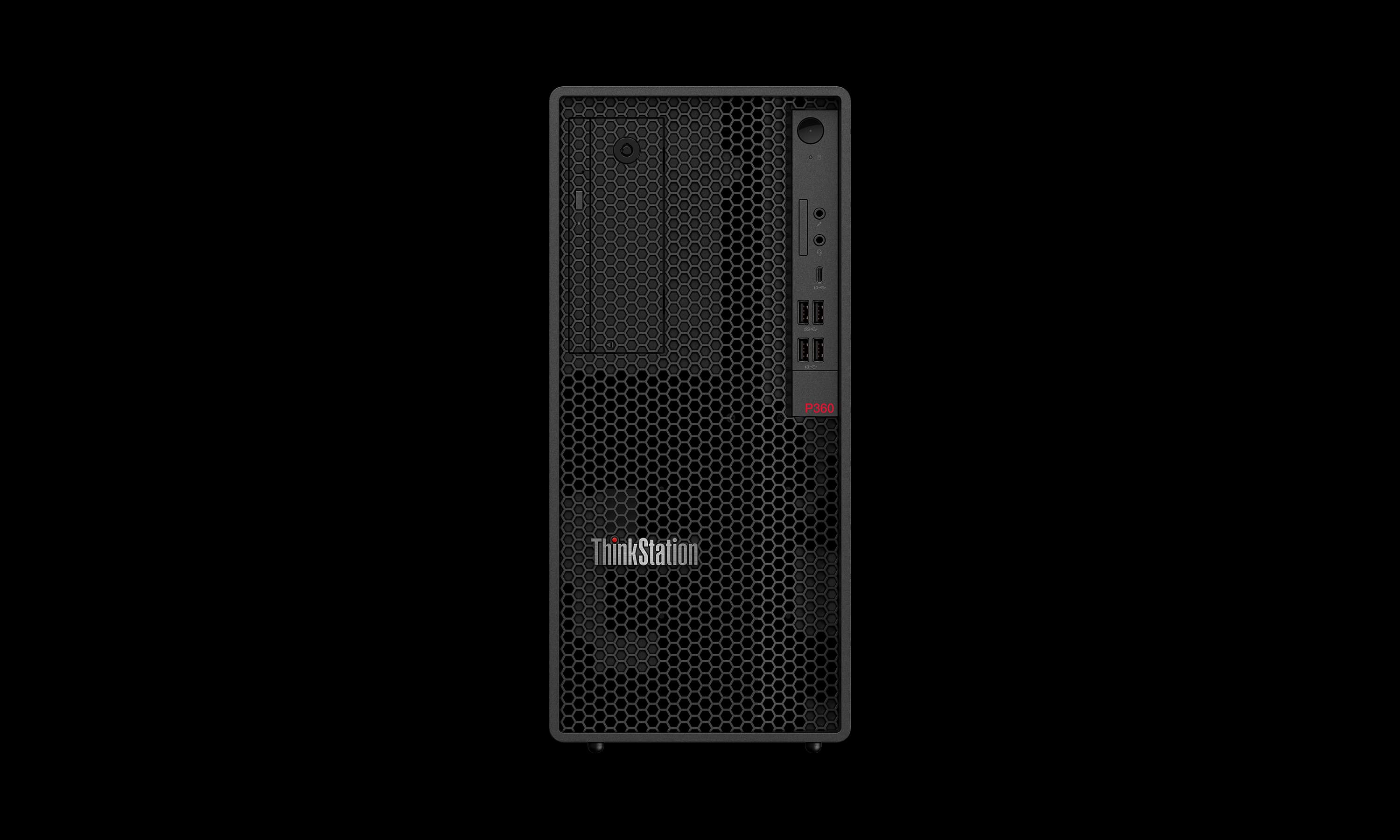
Estimated£1,299 – £4,299
Microsoft Surface Studio 2+
The Surface Studio 2+ is a specialist buy: a 28-inch 4500x3000 PixelSense touch display on a zero-gravity hinge that folds flat into a drawing surface, with Surface Pen and Surface Dial support. For illustrators and concept artists who draw directly on screen, that workflow advantage is genuine and no tower here replicates it. Be clear-eyed about what drives it, though — a quad-core 11th-generation Intel Core i7-11370H mobile processor and a laptop-class NVIDIA RTX 3060, which is the least compute on this list and well behind the towers for 3D rendering, heavy video or very large layered composites. Memory and storage are fixed at purchase, so this is a machine you buy for the canvas, not for headroom.

Estimated£3,299 – £5,999
Apple iMac 24-inch M3
The iMac 24-inch M3 is the most sensible complete package for solo designers and small studios doing layout, illustration and photo editing, precisely because the display is included and already colour-accurate — a 4.5K Retina panel with P3 wide colour and True Tone that would otherwise be a separate four-figure purchase alongside a tower. The M3's single-core speed suits Adobe's design applications well. The hard limit is memory: this generation tops out at 24GB of unified memory, below the 32GB many designers want for large layered PSDs and long InDesign documents, and it cannot be increased later. Note also that Apple replaced the M3 iMac with the M4 model in October 2024, so verify which chip a listing is actually offering.

We may earn a commission on purchases. It never affects our rankings.
Estimated£979 – £1,799
ASUS ProArt PA602 Workstation
The ASUS ProArt PA602 is a mid-tower E-ATX computer case aimed at creative professionals — an enclosure, not a finished system. It ships with no CPU, RAM, storage, graphics card or operating system, and the listed price reflects the chassis alone. Judged as what it is, it is a strong foundation for a custom-built design workstation: two 200mm front intake fans and a 140mm rear exhaust move a lot of air at low RPM, support for up to a 420mm radiator covers high-TDP processors, and tool-less PCIe mounting with a bundled GPU holder simplifies servicing. A front-panel 20Gbps USB-C port and an infrared dust indicator that warns when the filters need cleaning are practical touches for a machine that runs all day. Buy it if you are building your own tower; if you want a working computer out of the box, choose one of the complete systems above.
Estimated£220 – £320
The features worth paying for in a design workstation are sustained thermal headroom so clock speeds do not drop mid-render, ample DDR5 capacity with ECC available on Xeon and Threadripper-class configurations, multiple NVMe slots for working files and scratch space, and tool-free serviceability so RAM and storage can be upgraded without downtime. Note that tower workstations do not include a display — colour calibration is handled entirely by the monitor you pair with them.
What Actually Matters When Choosing a Graphic Design Desktop
Design workloads stress hardware very differently from gaming or video. Here is where the money genuinely goes:
Adobe's core design apps lean on single-core speed, so a high-clocking mid-range CPU often beats a slower chip with twice the cores.
32GB of RAM is the practical floor for large layered PSDs, multi-page InDesign documents and heavy Illustrator artwork; 16GB becomes the bottleneck first.
A powerful discrete GPU mainly pays off in video, motion graphics and 3D rendering — for 2D print and web work it is largely idle.
Colour accuracy is a property of the monitor, not the computer, so a tower's price should be read as excluding the display you still have to buy.
Fast NVMe storage shortens file open, save and scratch-disk times on large assets more noticeably than a CPU upgrade of the same cost.
In the UK, confirm the unit is a 230V model with a UK plug and a UK-honoured warranty — grey-import workstations often carry neither.
Towers stay useful longer because RAM, storage and graphics can be replaced; all-in-ones cannot be upgraded after purchase.
Frequently Asked Questions
Do I need an expensive graphics card for Photoshop, Illustrator and InDesign?
No. Adobe's core design applications are largely single-threaded and RAM-bound rather than GPU-bound, so a fast single-core clock and 32GB of memory deliver far more day-to-day benefit than a top-tier graphics card. A powerful GPU only earns its price in video editing, motion graphics and 3D — After Effects, DaVinci Resolve, Cinema 4D and Blender. For 2D print and web work it sits largely idle.
How much RAM do I actually need for graphic design work?
32GB is the practical floor for large layered PSDs, multi-page InDesign documents and complex Illustrator artwork; 16GB is where most designers hit a wall first. This is worth checking before buying an all-in-one, because memory is soldered and cannot be added later — the Apple iMac 24-inch M3 on this list caps at 24GB of unified memory for its entire service life, while the tower options here accept far more.
Which machine on this list handles heavy rendering best?
The Apple Mac Studio M2 Ultra, with a 24-core CPU, up to a 76-core GPU, up to 192GB of unified memory and up to 8TB of SSD, rated 4.6 on average. Be aware it is the 2023 generation: Apple replaced it in March 2025 with the M4 Max and M3 Ultra Mac Studio, so check current pricing and generation before ordering rather than paying new-model money for the older chip.
Where does colour accuracy actually come from — the computer or the monitor?
The monitor. A tower has no bearing on colour reproduction beyond outputting a signal. The HP Z2 Tower G9, Lenovo ThinkStation P360 and Dell on this list ship with no display at all, so their real colour performance is whatever panel you pair with them — budget separately for a hardware-calibratable monitor and a colorimeter. All-in-ones such as the iMac 24-inch M3 include a factory-calibrated P3 display, which is the main reason designers choose them.
Conclusion
The right choice follows your discipline rather than a benchmark table. If you work in print, branding, layout and illustration, put your budget into a fast single-core CPU, 32GB of RAM and a properly calibrated monitor, and treat the graphics card as a secondary concern. If your work extends into motion graphics, video or 3D, the GPU becomes the deciding component and a tower with room for a full-length card is the safer buy. All-in-ones such as the iMac and Surface Studio are excellent for solo designers who value a good bundled screen and a quiet desk, at the cost of a compute ceiling you can never raise. Before ordering in the UK, confirm the 230V PSU and UK plug, check that the warranty is serviceable on-shore, and price the display and colorimeter into the total rather than the tower alone. Prices and configurations change frequently — verify current specification and availability with the retailer before you buy.