

Premium HDR Laptops for UK Students 2026 - Complete Guide to High-Performance Study Machines
For British students pursuing creative disciplines—whether graphic design, video production, photography, or digital media—a laptop with HDR display technology has become an essential investment. High Dynamic Range displays deliver exceptional colour accuracy, superior contrast ratios, and lifelike image reproduction that transforms how you engage with your academic work. Unlike standard screens, HDR technology expands the colour gamut and brightness capabilities, making it particularly valuable for students who need to assess their work with professional-grade precision. Whether you're editing coursework in the library, collaborating on group projects, or developing your portfolio, an HDR-equipped laptop elevates your creative output considerably. The UK market has seen remarkable innovation in this space, with manufacturers delivering devices that balance powerful processing capabilities with stunning visual performance. This guide examines five outstanding HDR laptops specifically chosen for their relevance to student life—considering factors like portability for campus use, battery endurance for all-day studying, processing power for demanding software, and value for money across various budgets. Whether you're starting university this autumn or upgrading your existing machine, these selections represent the finest blend of technical specification and real-world practicality for serious students in the UK.
Inception's AI took the time to understand this market in the UK · · How we pickWe may earn a commission on purchases. It never affects our rankings.
Top Picks Summary
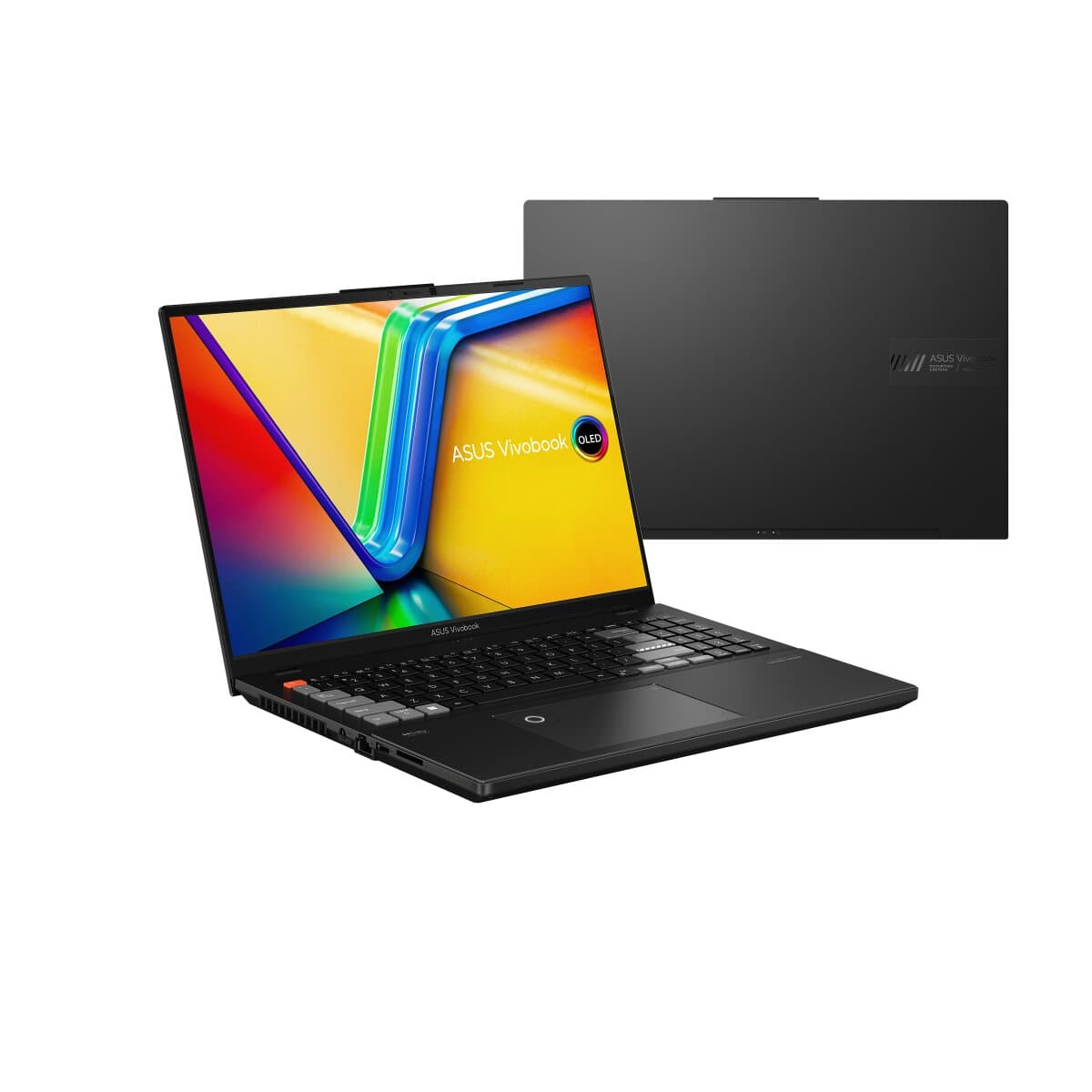
ASUS Vivobook 16X OLED
The Vivobook 16X OLED earns a top spot for combining a large 16‑inch HDR OLED panel with strong midrange performance at a student‑friendly price, making it ideal for multimedia study and light creative work in the UK in 2026. Compared with the smaller 14‑inch rivals on this list it delivers noticeably more screen real estate and HDR impact for presentations and media editing, while undercutting the premium Dell in price and offering a better balance of portability and value than the bulkier high‑end options.
Estimated£700 – £1,000
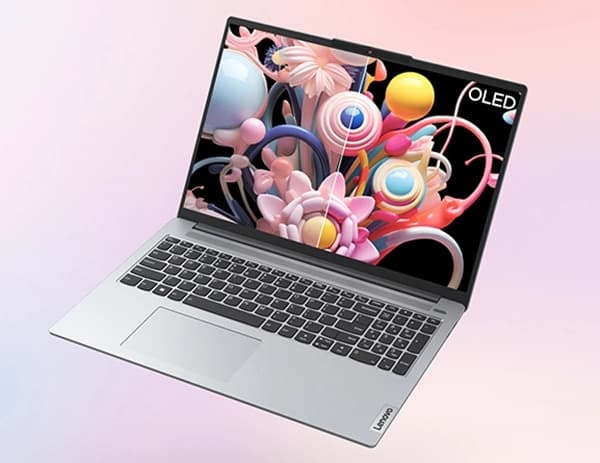
Lenovo IdeaPad Slim 5 16 OLED
Lenovo's IdeaPad Slim 5 16 OLED is positioned as the best value large‑format HDR laptop for students, pairing an attractive 16‑inch OLED panel with long battery life and a tactile keyboard that benefits long study sessions. Compared to the Dell Inspiron it sacrifices some raw performance and premium extras but delivers comparable HDR visuals at a noticeably lower cost, making it an excellent financial choice for UK students prioritizing display quality and everyday usability.
Estimated£650 – £900
Dell Inspiron 16 Plus 7630
The Dell Inspiron 16 Plus 7630 is the market leader for students who need near‑desktop performance and top‑tier HDR display quality, offering higher‑end CPU/GPU configurations, robust cooling and a brighter, more color‑accurate panel for demanding coursework and creative projects. While it is pricier and heavier than the others in this 2026 UK roundup, its extra performance headroom and premium support justify the investment for students who also do intensive media editing, simulation or gaming alongside study.

Estimated£1,100 – £1,600
Acer Swift Go 14 OLED
The Acer Swift Go 14 OLED targets budget‑conscious students who still want true HDR OLED visuals in a very light and energy‑efficient chassis, delivering strong colour and contrast for lectures, streaming and note‑taking without the bulk of 16‑inch machines. Compared with other models here it offers the best portability and often the lowest entry price among OLED options in the UK, trading off some thermal headroom and peak performance for excellent everyday mobility and battery life.

Estimated£700 – £1,000
These premium HDR laptops distinguish themselves through quantum dot display technology, professional-grade colour calibration, exceptional brightness levels exceeding 500 nits, and advanced thermal management systems. Each model delivers processing power sufficient for demanding creative software whilst maintaining reasonable battery life for portable student use throughout the academic day.
Understanding HDR Technology and Its Benefits
High Dynamic Range technology enhances the visual performance of laptops, providing richer colors and better contrast. Here's how it benefits students:
1. Enhanced Visual Quality: HDR technology allows for a wider colour range and better contrast, making images appear more lifelike and immersive.
2. Improved Productivity: Students benefit from vibrant displays, making visual content clearer and easier to work with, which can lead to higher quality projects.
3. Suitable for Creative Tasks: HDR laptops are ideal for graphic design, video editing, and gaming, catering specifically to the needs of creative students.
4. Energy Efficiency: Many HDR laptops are designed with energy-efficient technologies, ensuring longer battery life during intense usage.
5. Future-Ready Technology: Investing in HDR displays prepares students for professional environments that increasingly demand high-quality visual outputs.
6. Versatile Use Cases: These laptops not only enhance academic performance but are also perfect for gaming and multimedia consumption outside of schoolwork.
Frequently Asked Questions
Which laptop should I pick for multimedia studying?
Choose the ASUS Vivobook 16X OLED: it has a 16-inch OLED HDR panel with a wide colour gamut and a 4.4 rating, making it a strong fit for multimedia study and light creative work.
Does the HP Pavilion Plus 14 have HDR OLED display?
Yes—the HP Pavilion Plus 14 features a 14-inch high-resolution OLED with HDR and slim bezels, and it has a 4.2 average rating.
What value do I get with Lenovo IdeaPad Slim 5 16 OLED?
Lenovo IdeaPad Slim 5 16 OLED is positioned as the best value large-format HDR laptop for students and includes a 16-inch OLED HDR screen; it has a 4.3 average rating.
Is ASUS Vivobook 16X OLED better for bigger screens?
If you want a larger HDR display, ASUS Vivobook 16X OLED offers a 16-inch OLED HDR panel; HP Pavilion Plus 14 is 14-inch, and Lenovo IdeaPad Slim 5 16 OLED is also 16-inch.
Conclusion
Selecting the right HDR laptop represents a significant decision that will influence your university experience and post-graduation career prospects. The five models detailed above each bring distinctive strengths to the table—from Apple's engineering excellence to Dell's display technology, HP's versatile design, Asus's creative focus, and Lenovo's business-class reliability. Your choice ultimately depends on your specific discipline, budget constraints, and personal preferences regarding operating system and software ecosystem. Rather than pursuing the most expensive option, consider which laptop aligns most closely with your academic requirements and provides the best value proposition for your circumstances. We encourage you to visit local retailers across the UK where possible, as handling the machines firsthand and experiencing their displays personally proves invaluable. Should you require additional guidance or wish to explore alternative models tailored to particular specifications, the search functionality on this platform enables you to refine results according to your precise criteria and preferences.