Dual Monitors — UK Guide 2026 (Top 5 Picks)
Published on Monday, 26 January 2026
Dual monitors are a practical and widely adopted setup that places two displays side by side to expand screen space for work, creative tasks, gaming and multitasking. In the UK market of 2026, demand is driven by hybrid and home working patterns, tighter desk footprints in urban homes, and growing adoption of USB-C docks and energy-efficient panels. Consumers in the UK choose dual-monitor setups for improved productivity, easier reference between documents, and better workflow for tasks such as coding, spreadsheet work, video editing and trading. Key buying considerations include screen size (commonly 24 to 32 inches), resolution, panel type (IPS vs VA), ergonomics and mount compatibility, connectivity (USB-C, DisplayPort, HDMI) and power efficiency.
Top Picks Summary
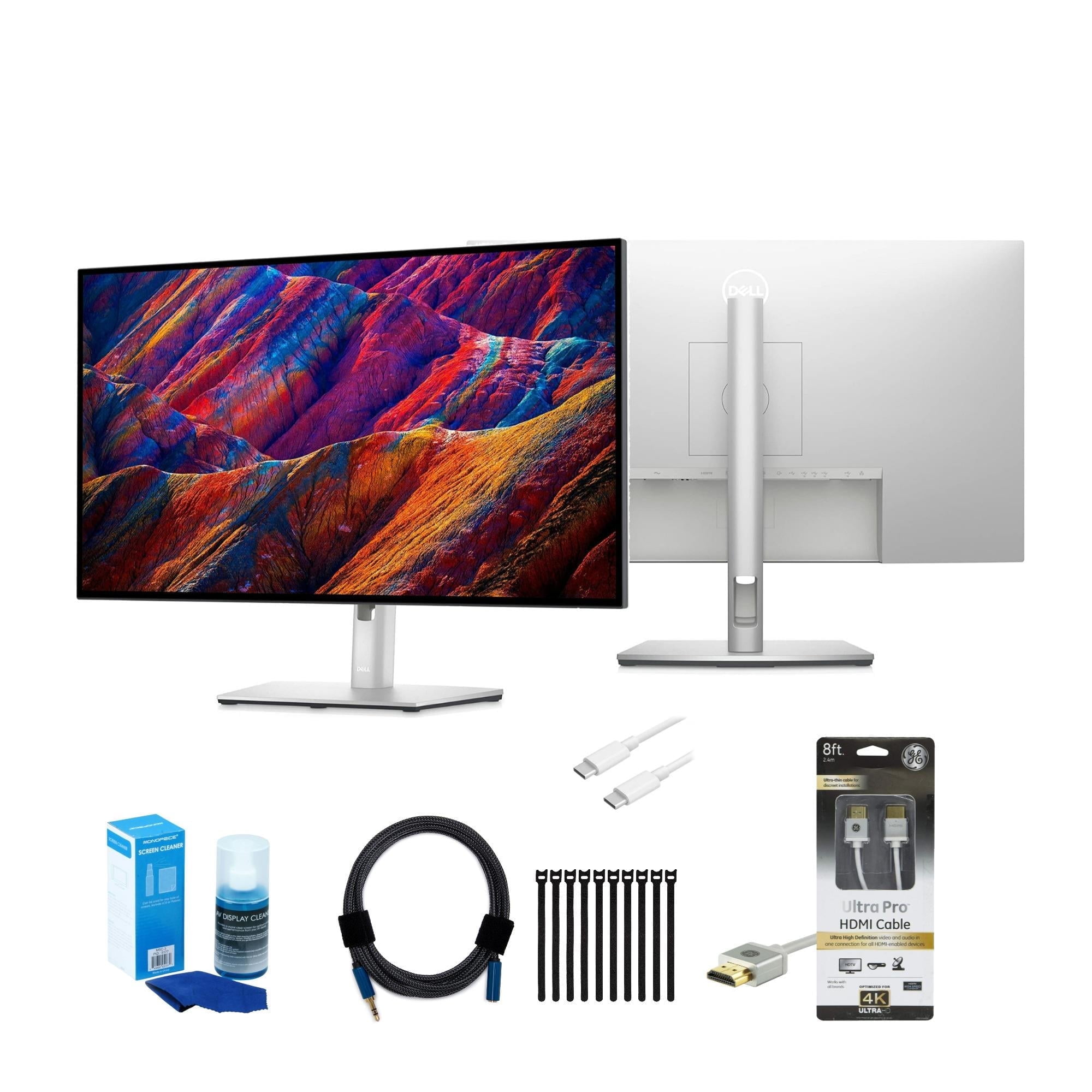
Dell UltraSharp U2723QE
The Dell UltraSharp U2723QE stands out as the best-in-class choice for dual-monitor productivity, offering a 4K IPS Black panel, excellent factory color calibration, plentiful ports including USB-C with power delivery and an integrated KVM to streamline multi-display setups. Compared with the other monitors on this list it commands a premium price but delivers superior uniformity, port consolidation and ergonomic adjustability that reduce cable clutter and total system cost in professional dual-monitor deployments.
What research shows about dual monitors
Academic and industry research in human-computer interaction and occupational ergonomics has examined how additional screen space affects performance, comfort and task flow. Studies typically find that having two screens reduces the need to switch windows, makes information comparison faster and can shorten task completion time for many knowledge-work tasks. Ergonomics research also emphasises correct monitor placement to reduce neck and eye strain. The benefits depend on task type, user habits and how the displays are arranged and configured.
Productivity gains: Multiple studies and workplace reports commonly show improvements in task efficiency and speed for information-heavy tasks, with typical reported gains often in the range of 10 to 30 percent depending on task complexity and measurement method.
Reduced context switching: Extra screen area lowers the frequency of switching between windows and applications, which helps maintain cognitive flow for tasks that require simultaneous reference or monitoring.
Ergonomics matters: Proper alignment, height and tilt reduce neck and shoulder strain. Research in occupational health stresses monitor positioning, screen distance and appropriate seating to realise ergonomic benefits.
Task dependence: Gains are greatest for tasks that require simultaneous access to multiple documents or applications. For focused single-window tasks, two monitors may offer little benefit and can sometimes increase distraction.
Energy and environmental trade-offs: Dual displays use more power than a single screen; selecting energy-efficient panels and managing brightness can reduce running costs and environmental impact.
Frequently Asked Questions
Which dual monitor setup is best for professional productivity tasks?
The Dell UltraSharp U2723QE is the ideal choice for productivity because it features a 4K IPS Black panel with factory color calibration and an integrated KVM switch to manage multiple displays efficiently.
What is the refresh rate of the Samsung Odyssey G5 C27G55T?
The Samsung Odyssey G5 C27G55T offers a 144Hz refresh rate and a 1ms MPRT, which provides smooth motion performance for gaming across dual monitor setups.
Is the LG 27UK850-W a good value for dual monitor users?
The LG 27UK850-W is a practical, budget-friendly option that provides 4K resolution and USB-C connectivity with 60W power delivery, making it a cost-effective solution for side-by-side arrangements.
Does the Dell UltraSharp U2723QE support single-cable laptop charging?
Yes, the Dell UltraSharp U2723QE supports single-cable connectivity with up to 90W power delivery, allowing you to charge your laptop while simultaneously connecting to the display.
Conclusion
This page summarises the Dual Monitors category for UK buyers in 2026 and explains the main benefits and buying considerations. We hope you found the guidance useful. If you want to refine or expand your search—by screen size, connectivity, panel type or use case—use the search to narrow results or explore related categories.