Best Student Laptops with Stylus Support in the UK for 2026 | Complete Buyer's Guide
Published on Tuesday, 3 February 2026
For students across the United Kingdom pursuing creative disciplines, engineering, medicine, or architecture, a laptop with stylus support has become an indispensable tool. These hybrid devices seamlessly blend traditional computing power with intuitive digital pen functionality, transforming how learners approach note-taking, technical drawing, and collaborative projects. Whether you're annotating lecture slides during seminars, sketching architectural designs, or marking up medical diagrams, stylus-enabled laptops elevate your academic capability whilst maintaining the portability essential for campus life. The UK's emphasis on mixed-mode learning—combining in-person lectures with digital collaboration—makes stylus support particularly valuable. Students can handwrite notes that sync automatically, sketch diagrams in real-time during lectures, and switch between creative and productivity tasks without missing a beat. As tuition fees continue to rise, investing in a versatile device that handles multiple disciplines justifies the cost over time. Our comprehensive analysis examines the five standout models of 2026, helping you navigate the options and find the device that matches both your budget and academic ambitions. From lightweight ultrabooks perfect for library sessions to convertible designs that adapt to any study environment, this guide covers everything you need to make an informed decision.
Top Picks Summary
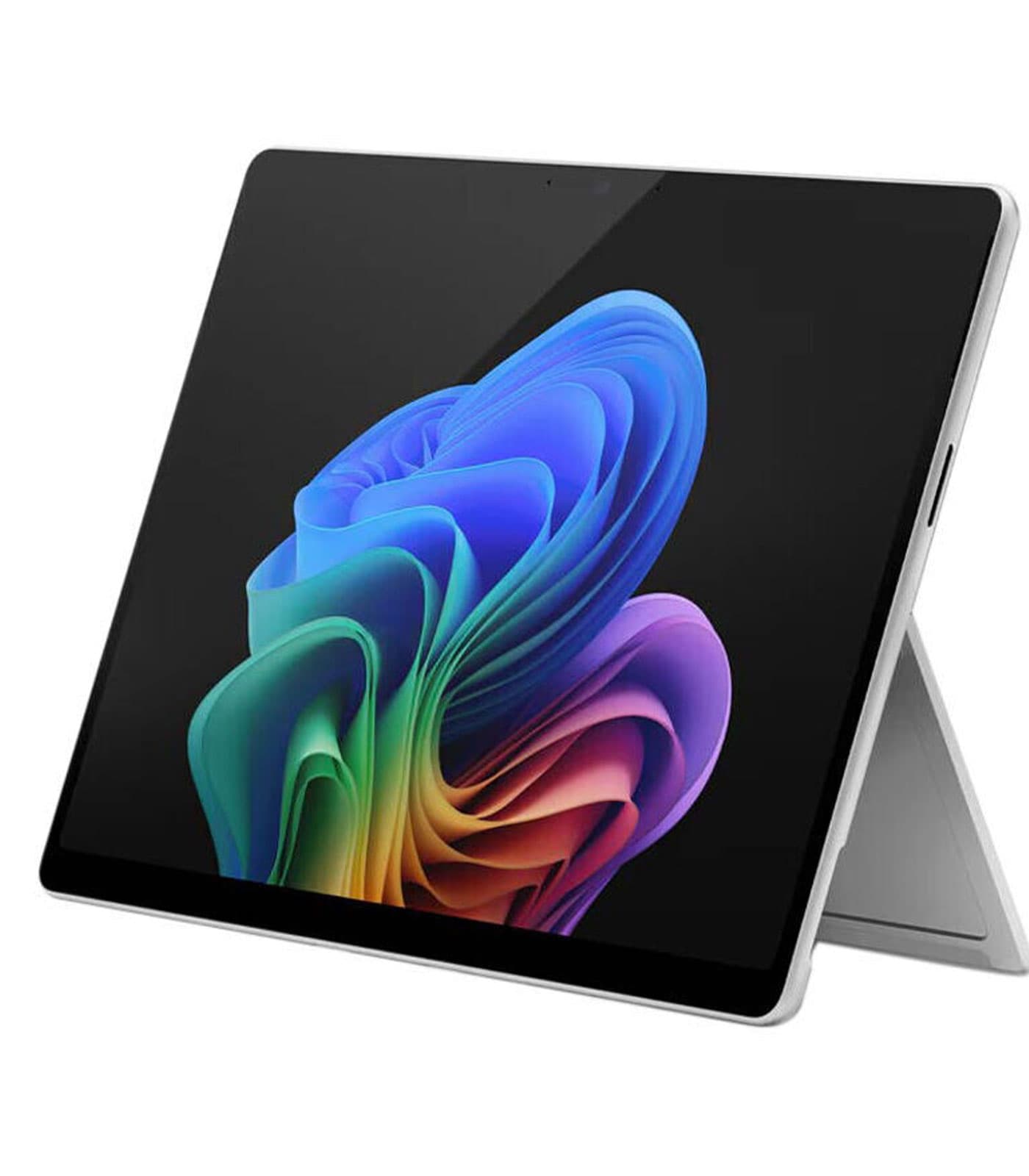
Microsoft Surface Pro 11
The Surface Pro 11 is the go-to detachable for students who prioritise pen-first note-taking and ultimate portability; its low-latency Surface Pen support and tablet-first design make it lighter and more flexible than clamshell alternatives. Compared with heavier workstations like the Surface Laptop Studio 2 or XPS 13 2‑in‑1 it offers better everyday battery life and an often-lower entry price, making it excellent value for lecture-heavy, on-the-go study in the United Kingdom in 2026.
Stylus-enabled laptops for students combine touchscreen responsiveness with dedicated pen technology, enabling natural handwriting capture, precision drawing capabilities, and seamless digital annotation. Multi-threaded processors handle demanding applications whilst convertible hinges adapt to lecture halls, libraries, and dormitory environments. Exceptional battery endurance ensures full-day campus usage without searching for charging points.
Understanding the Value of Stylus-Enabled Laptops for Students
Stylus-enabled laptops provide significant benefits for students, particularly in enhancing their creative and educational experiences. Here are some key insights:
Many studies highlight that students who take handwritten notes have better retention of information compared to typing, making stylus support invaluable for academic success.
Research shows that engaging in drawing and sketching promotes a deeper understanding of concepts, allowing students to visualize complex ideas effectively.
Stylus support allows for versatility in applications, facilitating tasks such as digital art creation, document annotation, and mind mapping.
Recent surveys indicate that 70% of students prefer using devices that support creative applications, showcasing the evolving educational landscape.
The tactile experience of writing with a stylus can lead to increased focus and reduced distractions, beneficial for productive study sessions.
In United Kingdom, education systems increasingly incorporate technology into curricula, making stylus-enabled laptops essential tools for modern learning.
Frequently Asked Questions
What is the best student laptops with stylus support for 2026 | complete buyer's guide in UK in 2026?
As of May 2026, Microsoft Surface Pro 11 is the top choice for student laptops with stylus support for 2026 | complete buyer's guide in UK. The Surface Pro 11 is the go-to detachable for students who prioritise pen-first note-taking and ultimate portability; its low-latency Surface Pen support and tablet-first design make it lighter and more flexible than clamshell alternatives. Compared with heavier workstations like the Surface Laptop Studio 2 or XPS 13 2‑in‑1 it offers better everyday battery life and an often-lower entry price, making it excellent value for lecture-heavy, on-the-go study in the United Kingdom in 2026.
What are the key features of Microsoft Surface Pro 11?
Microsoft Surface Pro 11 features: Detachable tablet design with kickstand ideal for note-taking and lectures., Full Surface Slim Pen support with low-latency inking for handwriting and sketching., Lightweight and highly portable with all-day battery life for campus use..
What are the benefits of Microsoft Surface Pro 11?
The main benefits include: Detachable freedom, Pen-first creativity, Ultra-portable power.
How does Microsoft Surface Pro 11 compare to Microsoft Surface Laptop Studio 2?
Based on May 2026 data, Microsoft Surface Laptop Studio 2 has a higher rating (4.6/5 vs 4.4/5). However, Microsoft Surface Pro 11 offers competitive value with Detachable tablet design with kickstand ideal for note-taking and lectures., making it a better choice for those who prioritize these features.
Conclusion
Selecting the right student laptop with stylus support requires balancing performance, portability, battery longevity, and budget constraints—factors that vary significantly depending on your course requirements and lifestyle. Each device featured in this guide brings distinct advantages: whether you prioritise premium build quality, exceptional value for money, or cutting-edge display technology. Before making your purchase, consider your university's IT support ecosystem, warranty offerings available through campus retailers, and whether your institution offers student discounts through vendors like Microsoft or Lenovo. Many UK universities maintain partnerships with technology suppliers that can reduce costs substantially. Test-drive these models if possible at electronics retailers across the high street, as the tactile experience of stylus responsiveness differs notably between devices. Additionally, explore whether your student union offers bulk purchasing schemes or trade-in programmes that could affect your final investment. We're confident this guide has illuminated the landscape of stylus-equipped student laptops available in Britain. Your perfect match awaits—one that will support your studies, fuel your creativity, and grow alongside your academic journey.