

Top 5 Large Format E-Ink Displays in the UK for 2026
Large format E-Ink displays provide an impressive viewing area ideal for showcases, presentations, and advertising, bringing the benefits of E-Ink technology to larger scales. In the UK market these panels are favoured for their exceptional daylight readability, low energy use, and paper-like appearance that reduces glare and blue-light exposure compared with backlit screens. Buyers in retail, corporate signage, education, and creative studios look for size, contrast, refresh performance, colour options, and easy content management; they also value durability, low running costs, and environmentally conscious hardware sourcing.
Inception's AI took the time to understand this market in the UK · · How we pickWe may earn a commission on purchases. It never affects our rankings.
Top Picks Summary
Visionect Joan 13
The Visionect Joan 13 is best-in-class for enterprise large-format E-Ink signage because it combines a purpose-built OS, centralized management and low-maintenance hardware that minimize total cost of ownership for large deployments. Compared with consumer-focused tablets like the BOOX models or DIY modules like Waveshare, Joan 13 prioritizes reliability, PoE-ready installation and long-term uptime, making it the financially sensible choice for organizations that need many static displays.

Estimated£700 – £900
Onyx Boox Max Lumi 2
The Onyx Boox Max Lumi 2 is the market leader among large-format personal E-Ink tablets thanks to its 13.3-inch high-resolution panel, full Android app ecosystem and strong stylus support that suit intensive reading, annotation and document workflows. While it carries a higher upfront price than bare panels (Waveshare) or signage-specific devices (Visionect), its software flexibility and productivity features deliver superior return for power users and teams that need an app-driven experience.

We may earn a commission on purchases. It never affects our rankings.
Estimated£700 – £1,000
Boox Tab Ultra C Pro
The BOOX Tab Ultra C Pro distinguishes itself as the color-capable large-format E-Ink option, offering color electrophoretic display technology that is valuable for diagrams, presentations and annotated visuals where color information matters. It sits between monochrome BOOX/Onyx tablets and enterprise signage like Visionect by delivering Android app support plus color rendering at a price point that often undercuts specialty color signage, making it the best pick when color and low power are both required.

Estimated£600 – £800
Dasung Paperlike 253
The Dasung Paperlike 253 is best-in-class as a desktop-replacement large-format E-Ink monitor, providing the largest usable screen area in this list and a native external-monitor workflow that substantially reduces eye strain for prolonged reading and editing. Its technical advantage is cost-effective, plug-and-play screen real estate compared with tablet-style BOOX devices and finished signage, though it forgoes the enterprise management features of Visionect and the app ecosystem of BOOX tablets.

Estimated£1,500 – £2,200
Waveshare 13.3 inch e-Paper Display
The Waveshare 13.3 inch e-Paper Display is the market leader for developers and integrators seeking an affordable, modular large-format E-Ink panel; its low cost, open driver support and HAT-compatible interfaces make it ideal for prototyping and custom embedded signage. It lacks the turnkey polish, battery optimizations and managed services of Visionect or the application-level refinement of BOOX products, but it offers unmatched financial and technical flexibility for bespoke projects and experimental deployments.
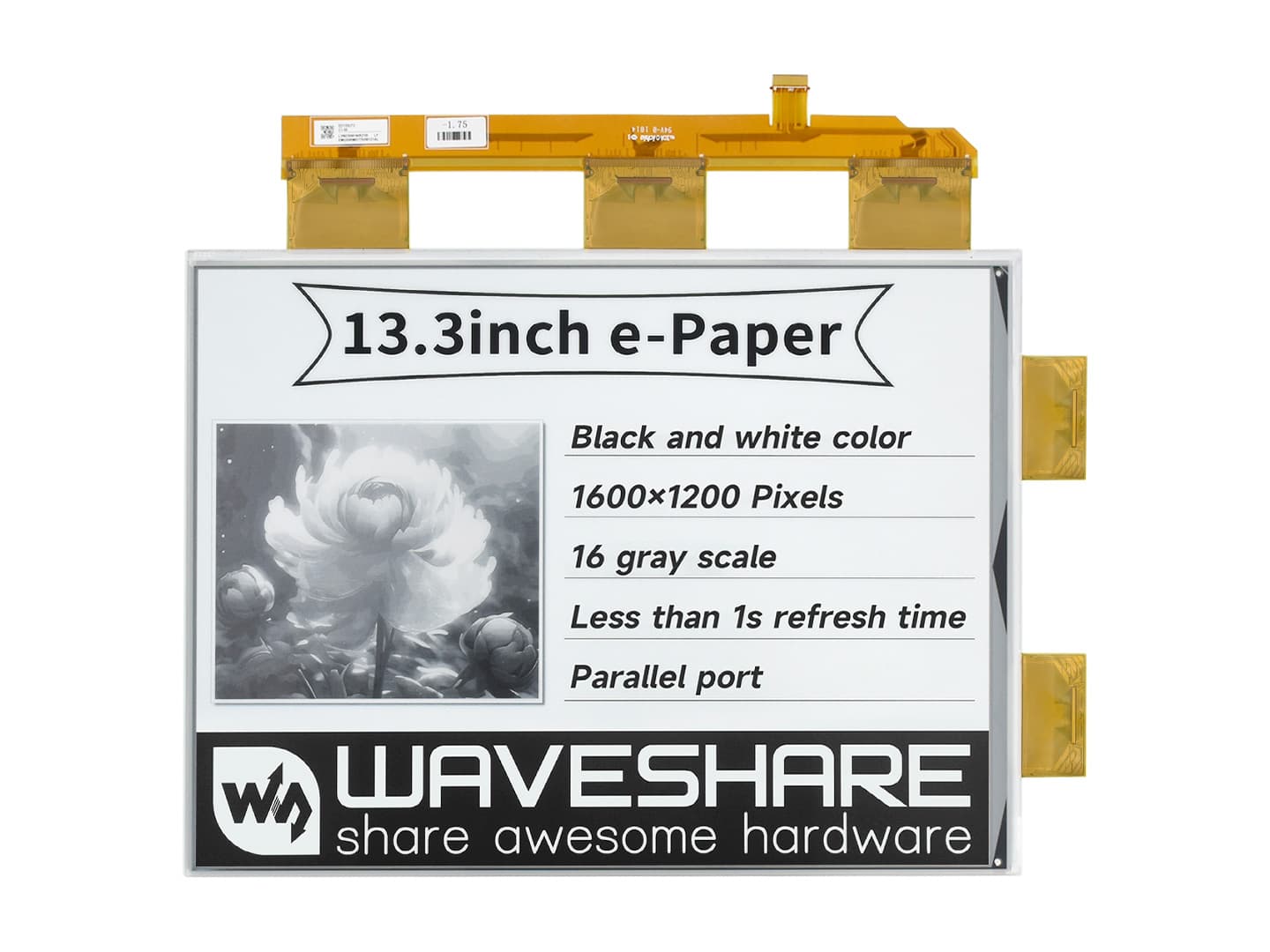
Estimated£120 – £250
What research and evidence say about E-Ink benefits
Academic and industry research over the last decade highlights several practical advantages of E-Ink displays relevant to large-format applications. Studies comparing reflective E-Ink surfaces with emissive backlit screens consistently report better readability in bright light, lower perceived eye strain for extended reading, and substantially lower energy consumption for mostly static content. Hardware and materials research also points to growing colour and refresh improvements, expanding viable use cases from signage to collaborative displays.
Readability: Multiple studies find reflective displays deliver contrast and legibility closer to printed paper in daylight conditions, making them well suited for window-facing signage and museum labels.
Eye comfort: Research comparing backlit and reflective screens shows lower subjective eye strain and reduced blue-light exposure for reflective displays during long viewing sessions.
Energy efficiency: E-Ink consumes power primarily when updating the image; field studies report dramatic energy savings versus LCD for mostly static content like signage and schedules.
Outdoor performance: Reflective technology maintains visibility in direct sunlight without backlight glare, a consistent finding across display tests.
Trade-offs: Scientific reviews note slower refresh rates and earlier colour limitations compared with LCD or OLED, but recent advances in greyscale speed and colour E-Ink have narrowed this gap for many signage and presentation needs.
Frequently Asked Questions
Which large format E-Ink display is best for enterprise signage?
The Visionect Joan 13 is the ideal choice for enterprise signage because it features a purpose-built OS and centralized management tools designed to minimize total cost of ownership for large-scale deployments.
Does the Onyx Boox Max Lumi 2 support full-page document viewing?
The Onyx Boox Max Lumi 2 features a 13.3-inch E Ink Carta display specifically designed to accommodate full-page PDFs and documents without the need for constant zooming or scrolling.
Is there a large E-Ink tablet that supports colour for presentations?
The Boox Tab Ultra C Pro offers a large colour E Ink display, making it the suitable option for users who need to view diagrams, annotated visuals, and presentations where colour information is essential.
How long does the Visionect Joan 13 battery last between charges?
The Visionect Joan 13 provides weeks of autonomy between charges, offering reliable performance for wall-mounted signage through its efficient battery, PoE, and Wi-Fi connectivity options.
Conclusion
In the UK for 2026, large format E-Ink displays are an excellent option when you need high-visibility, low-power screens for retail, offices, galleries, or education. The five main products covered here — Visionect Joan 13, Onyx Boox Max Lumi 2, BOOX Tab Ultra C Pro, Dasung Paperlike 253, and Waveshare 13.3 inch e-Paper Display — each suit different priorities: Visionect Joan 13 for meeting-room signage and integration, BOOX Tab Ultra C Pro for a colour tablet-style experience, Dasung Paperlike 253 for extra-large desktop display needs, Waveshare 13.3 inch e-Paper Display as a flexible developer module, and Onyx Boox Max Lumi 2 as the best overall pick for UK buyers balancing size, performance, and versatility. We hope you found what you were looking for; use the search to refine by size, colour capability, or connectivity to expand or narrow your results.